
Search and download osu! beatmaps without leaving the game
osu!flow is a small desktop app for osu! stable and osu!lazer. Press a shortcut to open search, then pick a map to download and send to your selected game client.
Download for Windows Source on GitHub
How it works
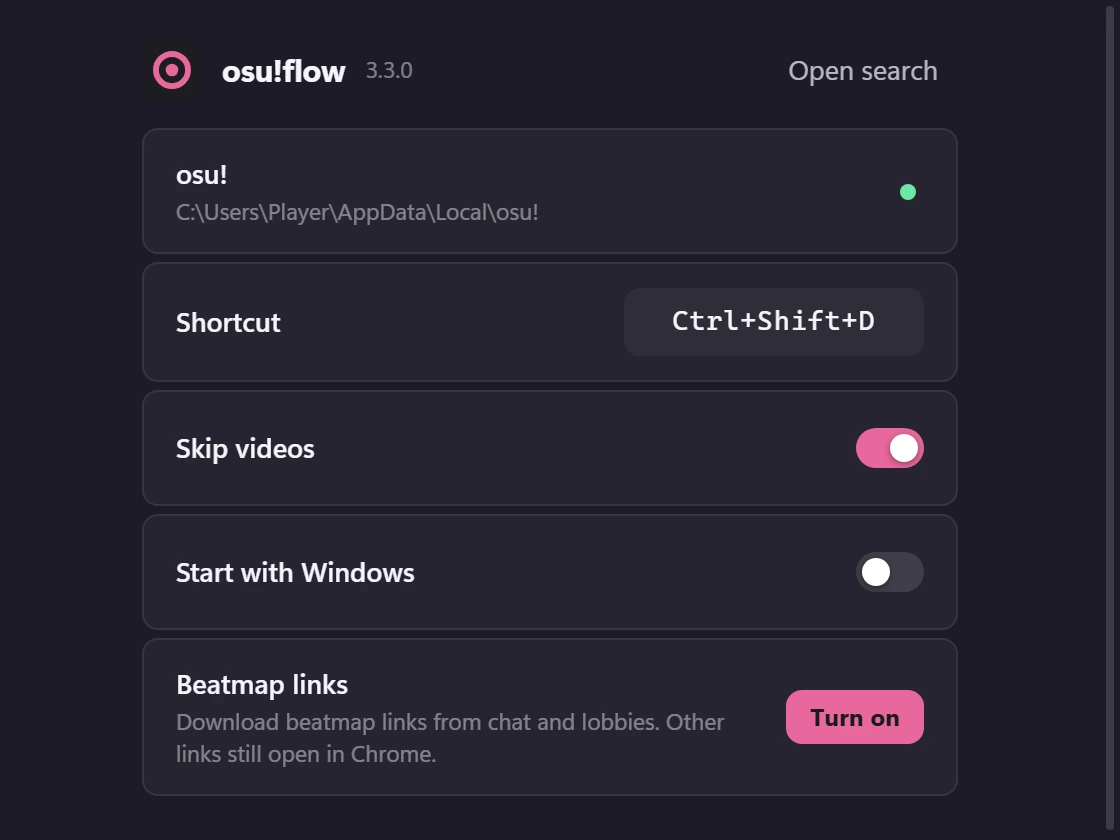
- Press Ctrl Shift D in osu!. The search card opens over the game with results already loaded. You can change the shortcut in Settings.
- Search or filter. Type a title, artist or mapper, paste a beatmap link, or use the filters and sliders.
- Press Enter on a map. osu!flow downloads it and hands it to osu! the same way double-clicking an
.oszfile would.
Features
- Quick start
- The first search runs when osu!flow starts, so the card opens with maps already on screen. Going back to a search you just made is instant.
- Filters
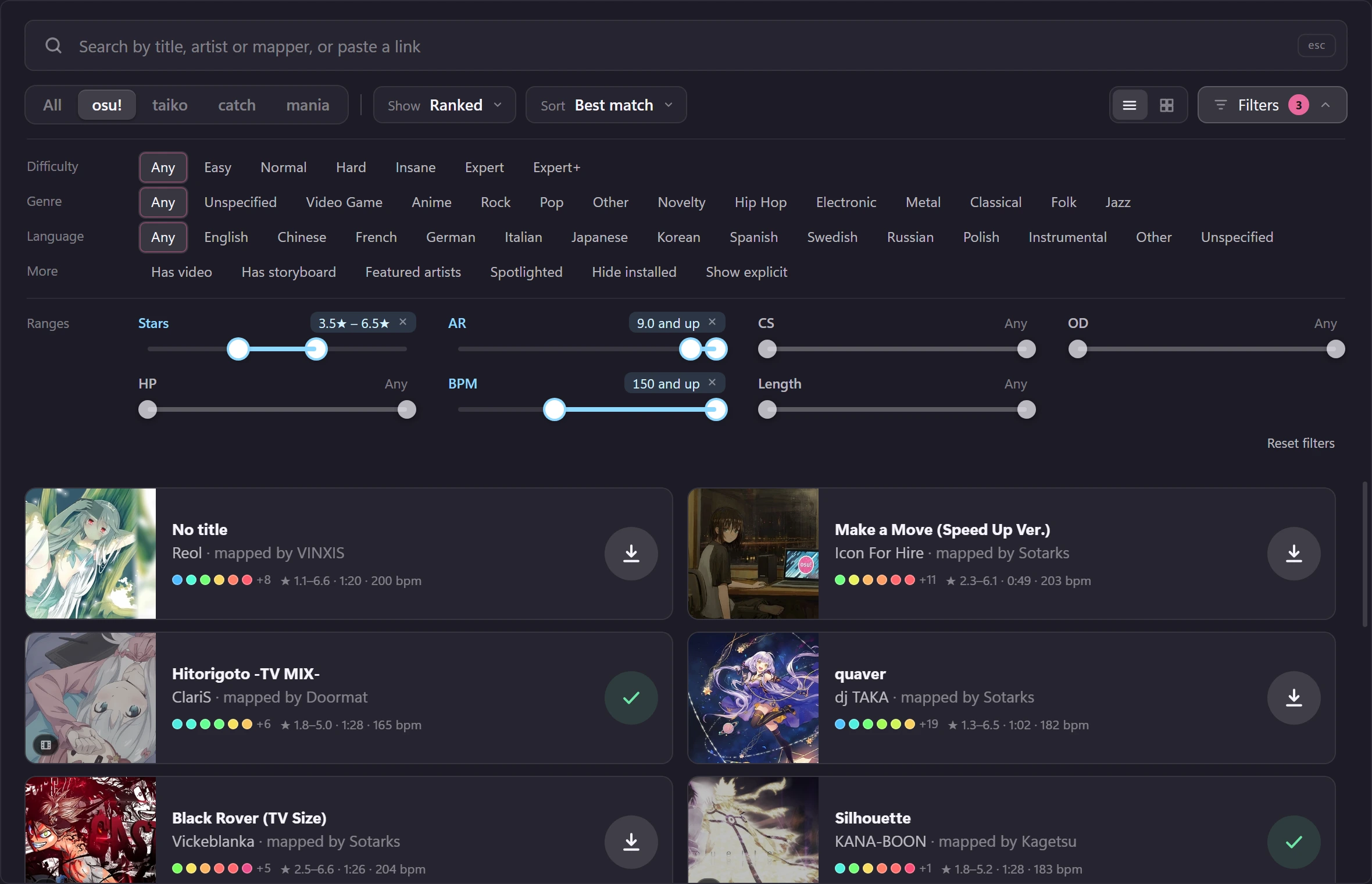
- Difficulty, genre, language, video, storyboard, featured artists, spotlights and hide installed, as on the osu! website. They apply instantly and are remembered.
- Several categories at once
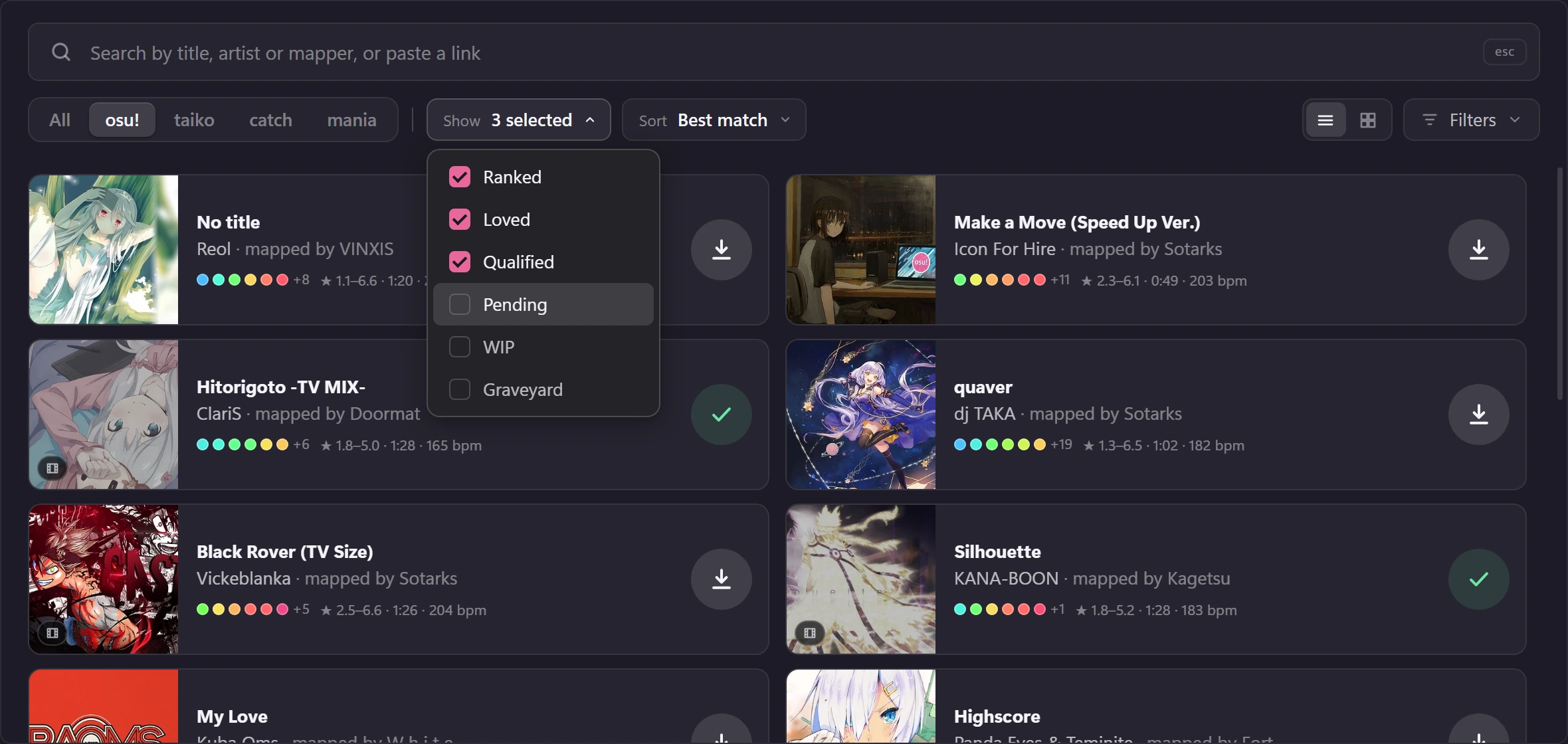
- Tick ranked, loved, qualified, pending, WIP and graveyard in any combination under Show. One search covers all the ones you tick.
- Range sliders
- Stars, AR, CS, OD, HP, BPM and length each have a two-handle slider, always shown at the bottom of the filters.
- Search syntax
stars>5 ar<=9.5 bpm=180..200 keys=4 mapper=nameworks in the search box. Every condition has to hold on the same difficulty.- Hover, then Enter
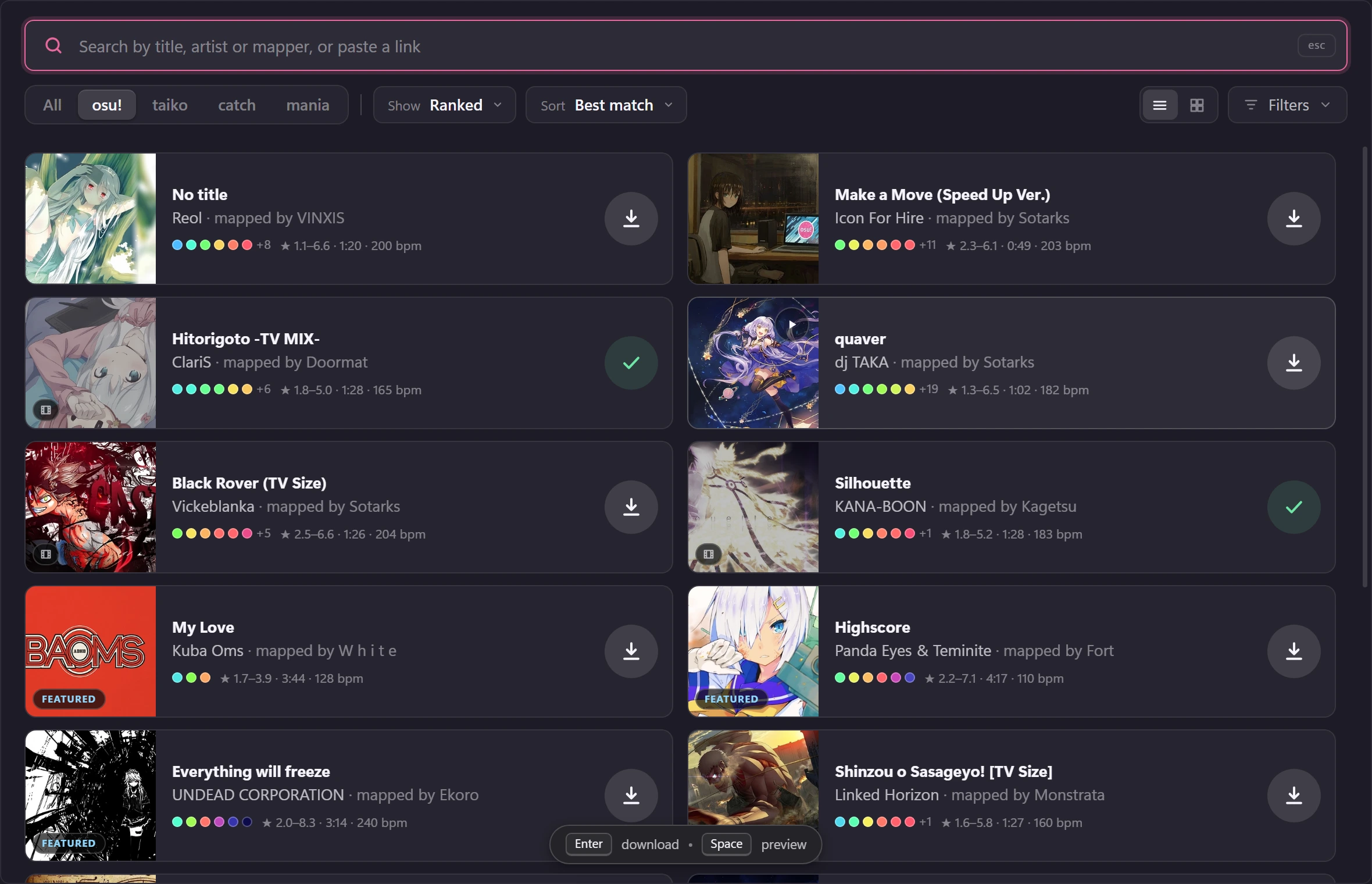
- Rest the pointer (or a pen, on a tablet) on a map and press Enter to download or Space to preview. Typing a search and pressing Enter never downloads a map by accident.
- Downloads
- catboy.best is tried first, with osu.direct as the fallback. osu!flow won't launch osu! while a dialog is open.
- Windows 11 look
- Uses the acrylic backdrop where Windows provides it, and plain dark colours on Windows 10.
- Private
- No account, no telemetry, no ads. It never touches osu!'s memory or network.
Demo
Rest your pointer on a map and press Enter. This demo is a simulation, so nothing is downloaded. On a phone, tap the download button.
- Midnight CircuitAurora Vale · mapped by kiri★ 1.7–3.6 · 3:09 · 172 bpm
- Glass TideLumen & Foxglove · mapped by mochi★ 2.3–5.5 · 3:34 · 148 bpm
- Afterglow DriveNeon Orchard · mapped by vantage★ 3.4–8.1 · 3:23 · 186 bpm
Rest the pointer on a map, then press Enter
Screenshots
The real osu!flow interface, showing popular ranked osu!standard maps with their original covers.
Search syntax
The osu! website's and osu!lazer's conditions work in the search box, and the sliders set the same ones. Combine as many as you like.
| Type | Finds |
|---|---|
stars>5 | a difficulty above 5 stars |
ar<=9.5 od>8 | approach rate and overall difficulty (also cs, hp) |
bpm=180..200 | a range |
length<3m | seconds, m, h or 3:30 |
keys=4 | mania maps with that many keys |
mapper="some name" | or artist=, title=; quote names with spaces |
osu.ppy.sh/s/… | paste a beatmap link or ID to go straight to that map |
FAQ
Does it work with osu!lazer?
Version 3.3 and earlier use osu! stable. The 3.4 preview adds a Game client choice for stable or native osu!lazer, with the same search, previews, filters and downloads. Linux stable integrates with osu-winello. See the setup guide and testing limits.
Is it safe? Why does Windows warn me?
osu!flow is open source, so you can read what it does. It never touches osu!'s memory or network, and it imports maps the way double-clicking an .osz file does. The installer is not code-signed yet, so Windows SmartScreen may say it protects your PC: choose More info, then Run anyway. Every release lists the installer's SHA-256 so you can check your download.
Do I need an osu! account or an API key?
No. Maps come from the public beatmap mirrors catboy.best and osu.direct.
What does it connect to?
The two mirrors above to search and download, and osu!'s own servers (assets.ppy.sh and b.ppy.sh) for cover images and previews. There is no telemetry.
The card doesn't show over my game.
Exclusive fullscreen hides every overlay. In osu!, switch to Borderless or Windowed under Options, Graphics.
What can't it do?
Anything that needs your osu! account: rank achieved, played or unplayed, your favourites, subscribed mappers, recommended difficulty. The mirrors don't know those things.
How do I change the shortcut or remove osu!flow?
Open Settings from the tray icon, click the shortcut box and press the keys you want. To remove it, use Windows' Installed apps.
Download
Free and open source. The latest Windows installer is about 2 MB and installs for your user only, with no administrator rights needed.
Download v3.4.0 for Windows All releases
These 3.4.0 test builds download as ZIP files from GitHub Actions. GitHub sign-in is required; unzip the download before opening the installer. Version 3.4.0 adds a choice of osu! stable or osu!lazer. Lazer imports and Linux/macOS support are experimental; real-game testing is still pending.
Experimental builds v3.4.0
Linux AppImage and Debian packages, with a choice of osu! stable through osu-winello or native osu!lazer. Real-game testing is still pending. These builds are unsigned.
Build details and test results · Setup and limitations. Linux AppImage: make it executable before opening. Debian packages use your package manager. macOS: allow a trusted download under Privacy & Security → Open Anyway.
To check your download, run Get-FileHash .\osu*flow_*_x64-setup.exe in PowerShell and compare it with the 3.4.0 test-build SHA-256 checksums.